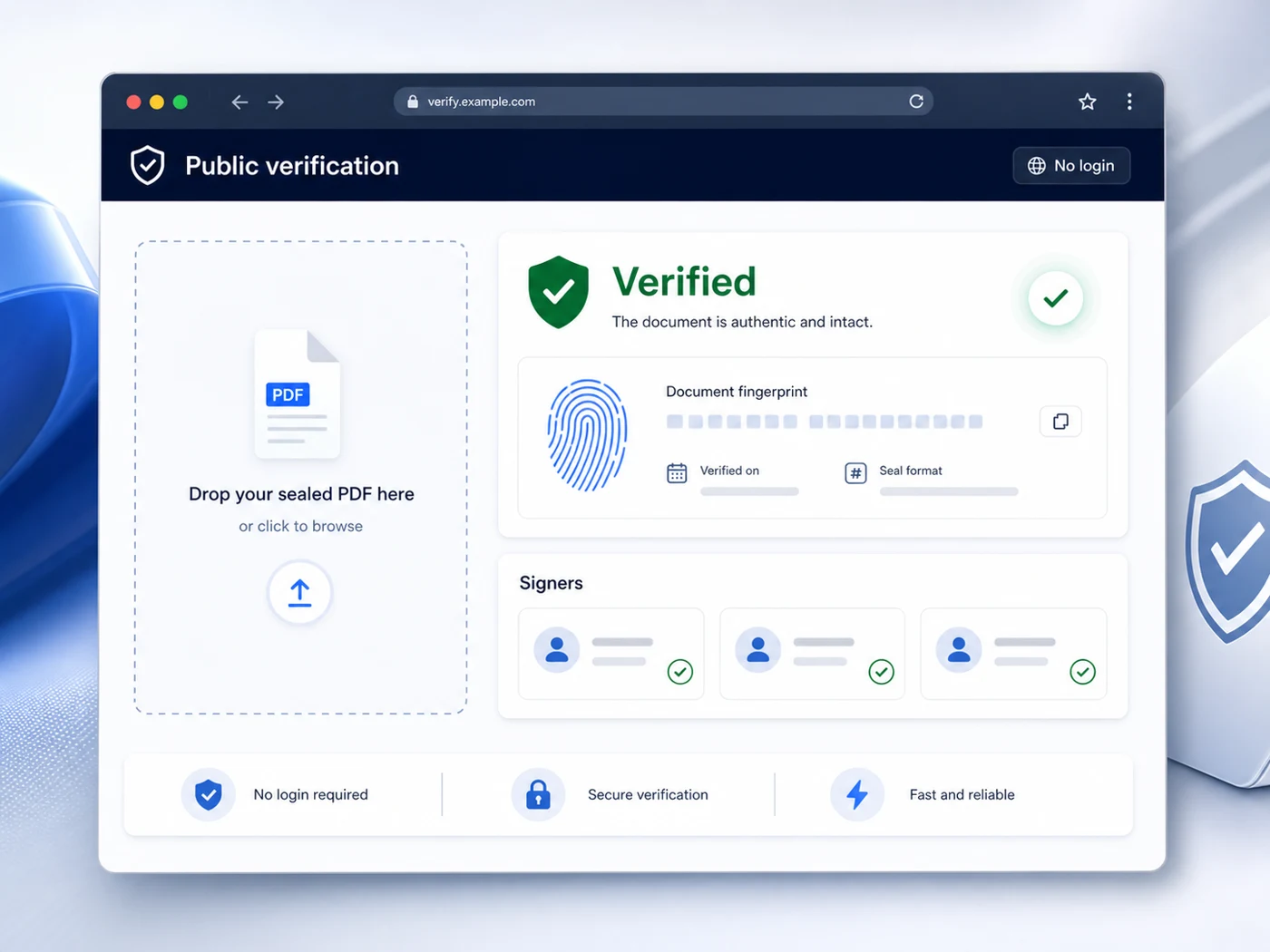
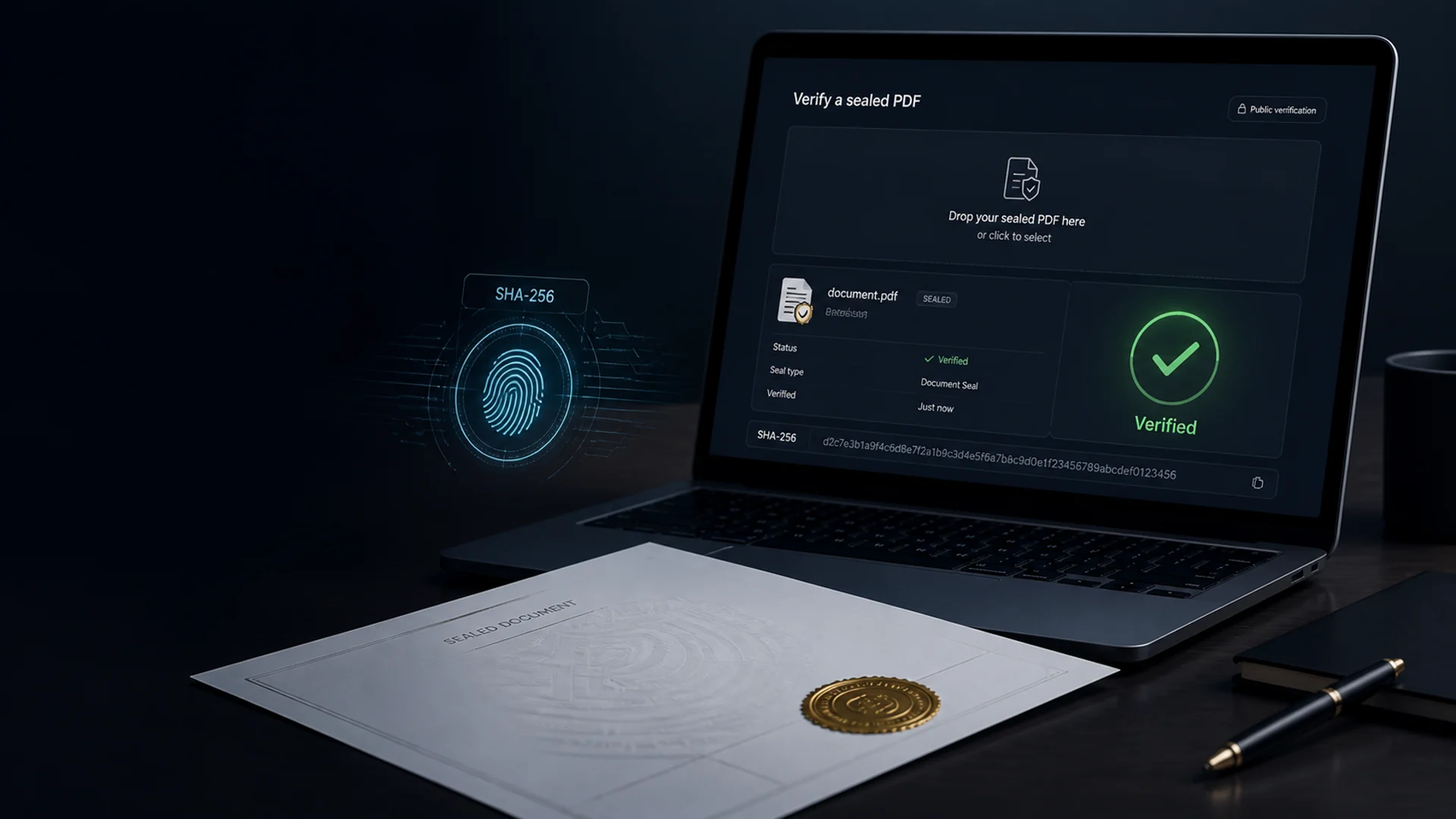
Drop in an EZPdf-Doc™ and find out in seconds. We compare its fingerprint against the seal recorded when it was signed — a match proves the copy in your hands is the unmodified original. Change one character and the check fails.
Upload a PDF and verify it's authenticity.
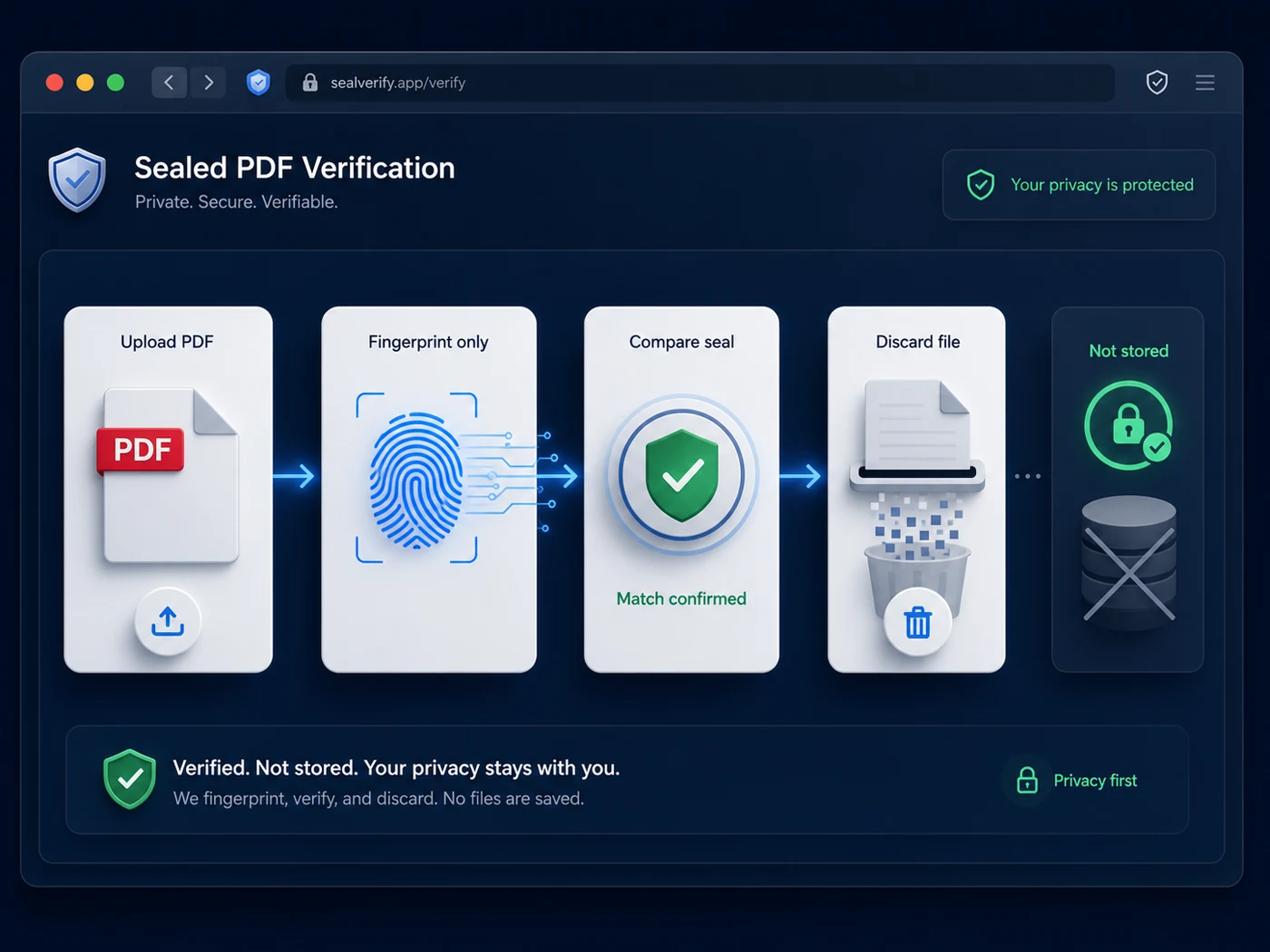
Your file is fingerprinted and discarded — never saved / read / shared.
Who checks a document here
How verification works
There is no scoring, no AI, no opinion. Either the bytes match what was sealed, or they do not.
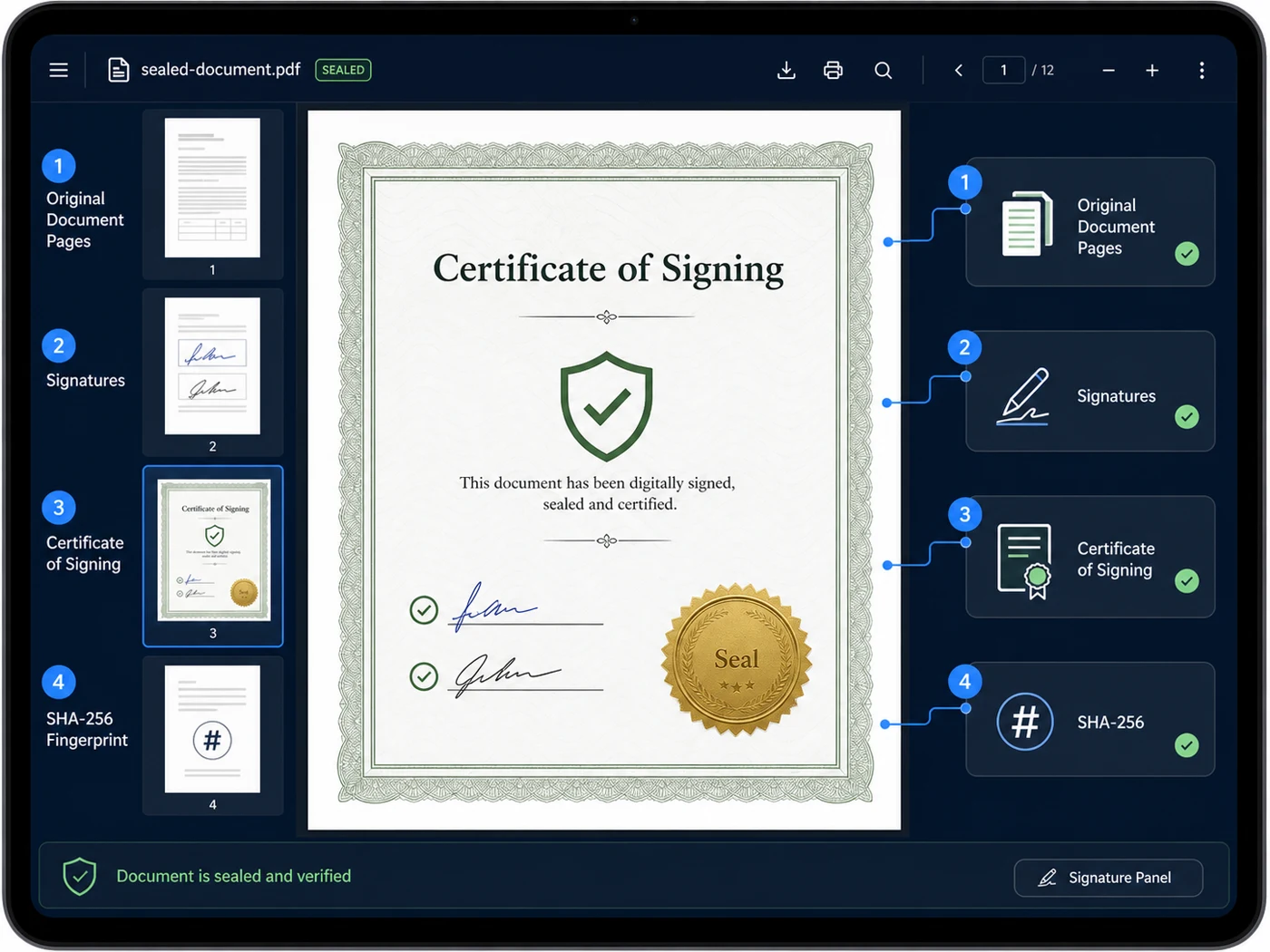
When the last signer finishes, the completed PDF is fixed and a SHA-256 fingerprint of the exact file is recorded, along with who signed and when. A Certificate of Signing & Seal page is added to the document itself.
Automatic on every signingAnyone holding a copy — years later, forwarded through five inboxes — drops it on this page. The same fingerprint is computed from the bytes in front of them.
No account, no permission neededMatch: this is the sealed original, and you see the document, the sealing time and every signer. No match: this file differs from what was sealed, or was never sealed here.
Verified or not verifiedWhat a sealed PDF carries
The point of sealing is that the proof does not live in a portal somebody could close, rebrand or lose. It is attached to the document and checkable by anyone.
Why public verification matters
Most e-signature platforms keep the audit trail behind their own login. To confirm a document you have to have an account with the vendor the other party chose — and hope that company still exists when the dispute happens.
Here the check is a public page. A lawyer, a registrar, a judge or a suspicious buyer can confirm the file without an account, without asking us, and without asking you.
Try it above →
Tamper detection
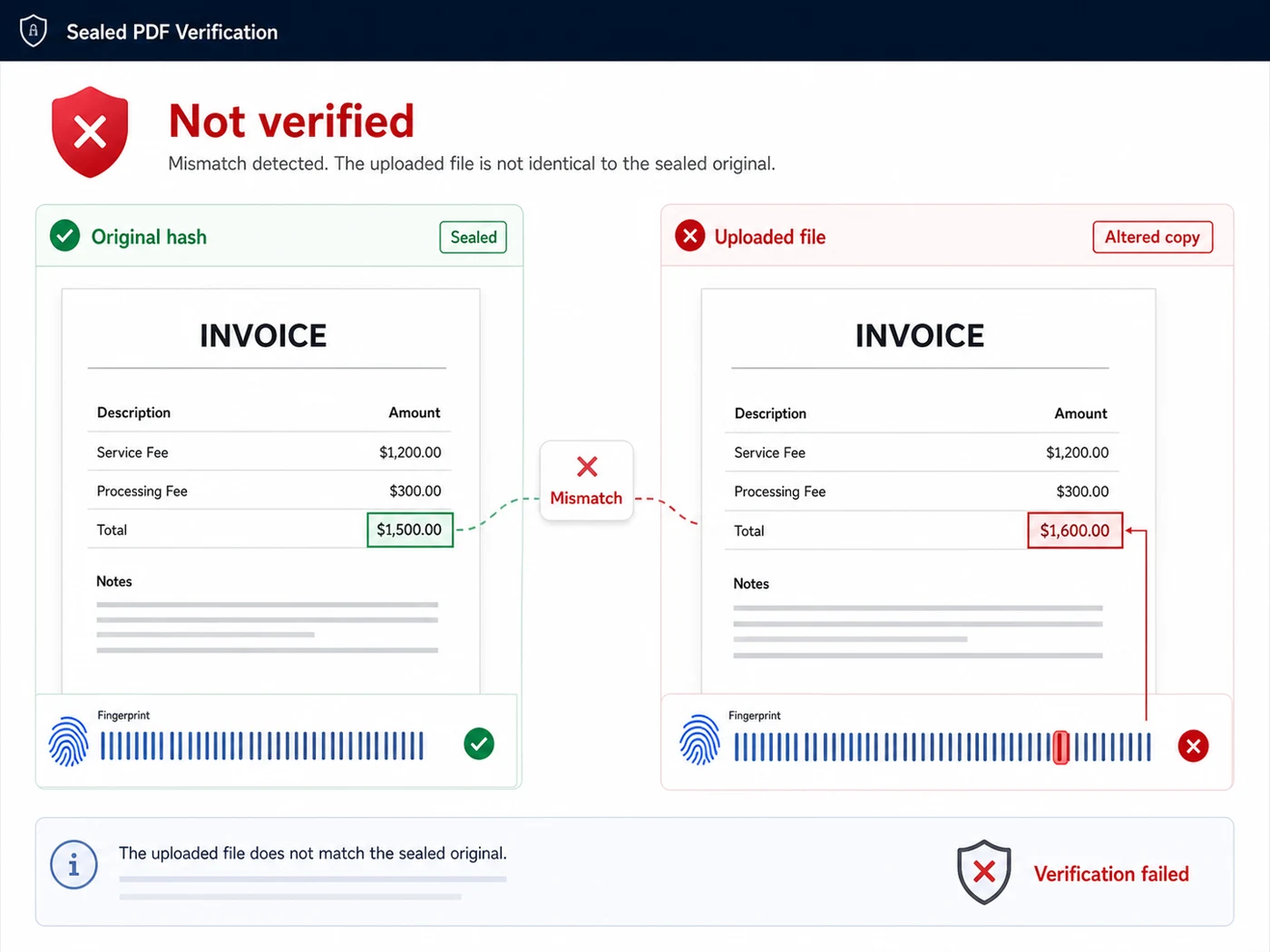
The fingerprint covers every byte of the file. Edit an amount, delete a page, swap a signature image, or simply re-save the PDF through another program — all of them produce a different fingerprint, and all of them come back not verified.
That is the useful property: you do not have to spot the alteration. You only have to notice that the file no longer matches.
How sealing works →
Your privacy, verifying
Verification computes the fingerprint of the file you send and compares it to the seal record. The upload is discarded immediately — not stored, not indexed, not opened, not added to anything.
That is deliberate. People verify documents precisely when they are sensitive: a contract in a dispute, a lease before a hearing, an agreement they were not party to. Handing that file to a stranger's server for keeps would be a strange price to pay for a yes-or-no answer.
Read the privacy policy →
Reading the result
Verification is precise about a narrow thing. Knowing exactly what it does and does not prove is what makes it useful.
These exact bytes match a completed signing on record. The copy you hold is the sealed original and has not been modified since.
This file does not match any seal on record. It was altered after sealing, re-saved by another program, or never sealed here at all.
A verified result lists each signer, their status and when they signed — so you can check the names match the agreement in front of you.
The sealing timestamp, plus the session it belonged to if it was signed live in the Video Signing Room.
The SHA-256 value is shown so you can record it, quote it in correspondence, or compare it independently.
It proves integrity and who the signing was recorded against — not that a signer was who they claimed. For that, add identity verification at signing time.
Questions
No. Verification is free and open to anyone holding the file — no login, no email, no limit. Proof that only the issuer can check is not proof.
No. The fingerprint is computed and compared against the seal record, then the upload is discarded. The document is never saved, never read and never shared.
The exact bytes of this file do not match any seal on record. Either the document was modified after sealing — even by one character — or it was never sealed by EZ PDF Editor. It does not mean the signature was forged; it means this copy is not the sealed one.
Not in any practical sense. The fingerprint covers every byte, so editing a value, deleting a page, or re-saving through another PDF program all produce a different fingerprint and fail the check.
No. Verification needs the digital file, because it compares the exact bytes. A scan of a printout is a new file with a new fingerprint. Ask the sender for the original PDF they received when the signing completed.
A page appended to every completed signing listing each signer with the evidence behind their signature, plus the fingerprint of the finished file. Read more about tamper-sealed PDFs.
Every completed signature request is sealed automatically — including on the free plan. Send a document for signature and the sealed copy comes back to everyone when the last signer finishes.
Electronic signatures are recognised across Canada under PIPEDA and the provincial e-commerce acts. A seal does not create validity — it preserves evidence, which is what disputes actually turn on. See our note on PIPEDA and Quebec Law 25. General information, not legal advice.
Every signature request you send comes back tamper-sealed with a certificate anyone can check on this page — free plan included.
Sealing is automatic and free. How the seal is built.
Keep reading