Do signers need an account?
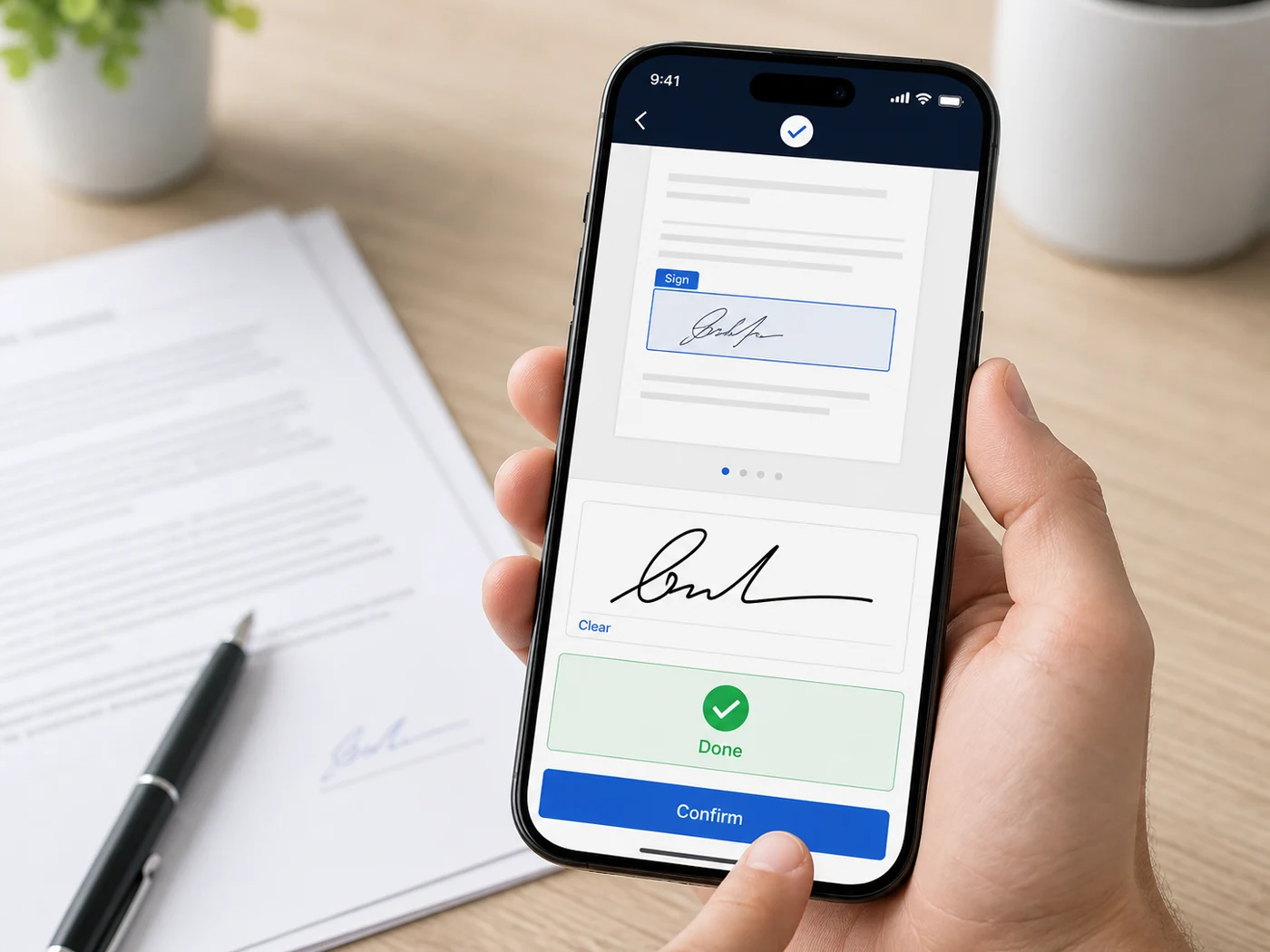
No. Signers open their link in any browser, draw or type their signature, and it is done — no app, no account, no watermark. It works the same on a phone.
Is the signed file tamper-sealed?
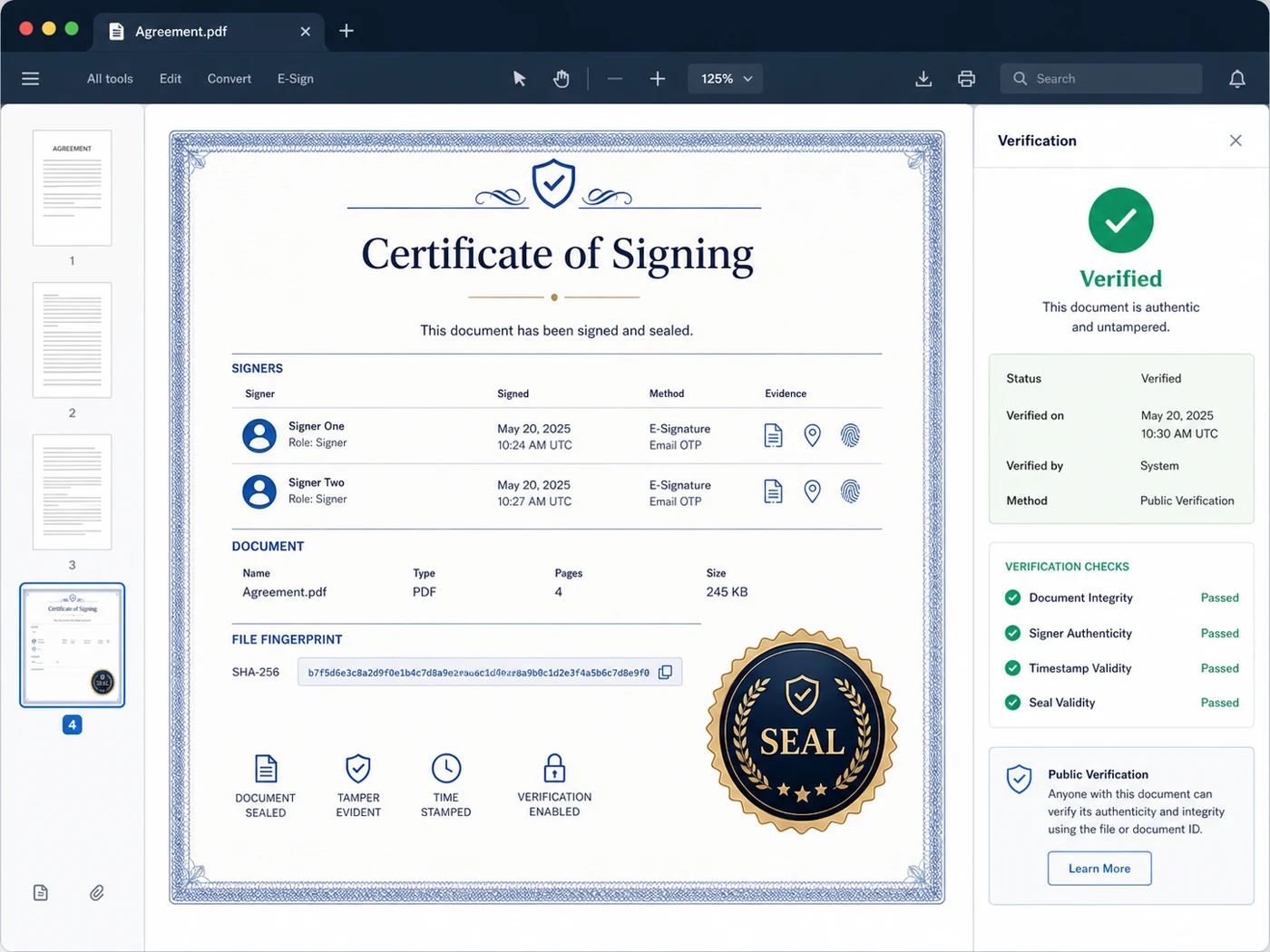
Yes. Every completed signing adds a Certificate of Signing & Seal page listing each signer and the evidence behind their signature, and stores a fingerprint of the finished file. Anyone can verify a copy at /seal — free, no login. Read more about tamper-sealed PDFs.
How many signers can I add?
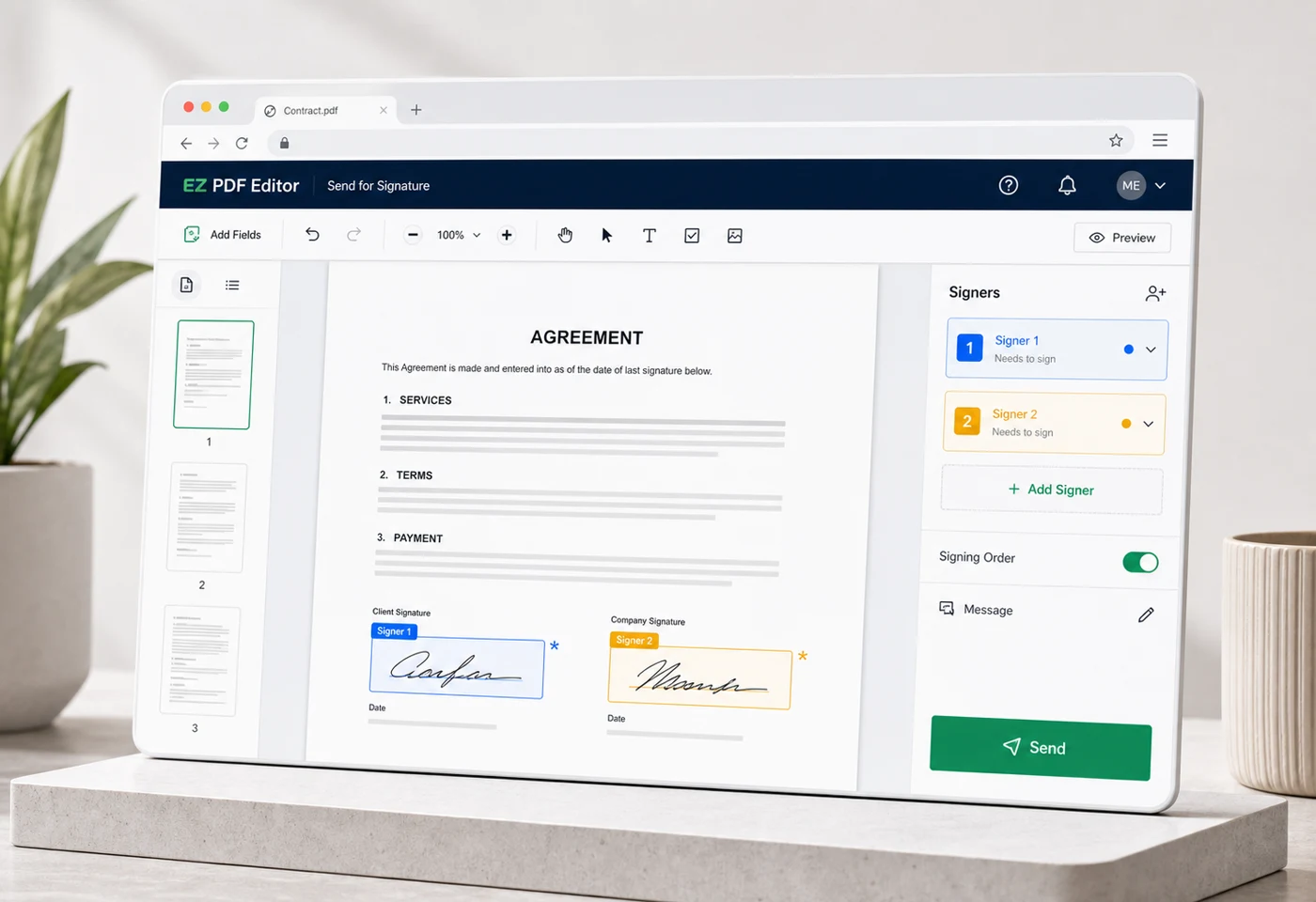
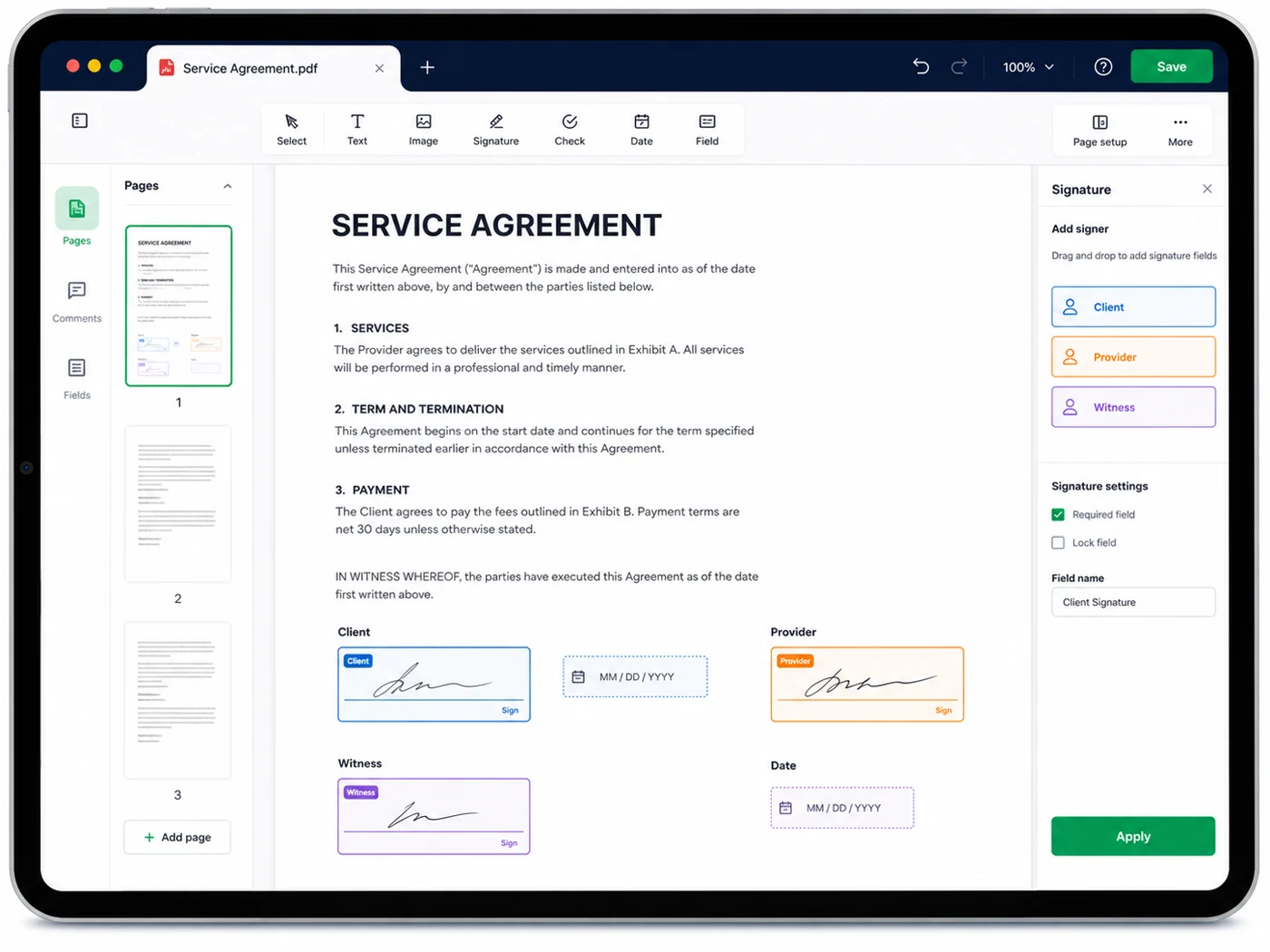
Up to 8 signers per document on Pro. The free plan sends to 1 signer per request, 2 requests a month. Every signer needs at least one Signature or Initials box placed for them before the request can go out — a Date Signed or Full Name box fills itself in and does not count on its own.
How much does it cost?
Free covers 2 signature requests a month with 1 signer each. Pro is $9.99 a month for unlimited requests and up to 8 signers per document. Pro Signing, $19.99 a month, adds the Video Signing Room and identity verification. Editing, filling and converting PDFs stay free regardless.
Is an electronic signature legally valid in Canada?
Electronic signatures are recognised across Canada under PIPEDA and the provincial e-commerce acts. What matters in a dispute is the evidence behind the signature — who signed, when, from where, and whether the document changed afterwards. Every request captures that record and seals the result. See our note on PIPEDA & Quebec Law 25. This is general information, not legal advice.
What happens if a signer declines?
A signer can decline at any point before they confirm, and can leave a reason. Declining closes the whole request: nothing is signed and the remaining links stop working immediately. You are emailed the person's name and their reason. The other signers are emailed too, but only that the request was withdrawn and that nothing further is needed from them — not who declined, and not why, since on a two-person request that would name them. The withdrawn request stays in your list as a record, marked Withdrawn, and a Send a fresh request button sends the same document to the same people with new links, as a new request with its own audit trail.
Can I cancel a request I already sent?
Yes. Any request still waiting has a Cancel signing button on its card on the Pending tab under My Work → Signings & Audits. Every signing link stops working immediately and all the signers are emailed that you cancelled it — you can add a note in your own words, which is passed on. It can't be undone, and a request everybody has already signed can't be cancelled, because it's finished. If someone had already signed and you cancel anyway, the document is never completed and no signed copy is issued to anyone; they're told so. A cancelled request keeps its record and offers Send a fresh request, so cancel, fix the document, and send it again.
How do I track who has signed?
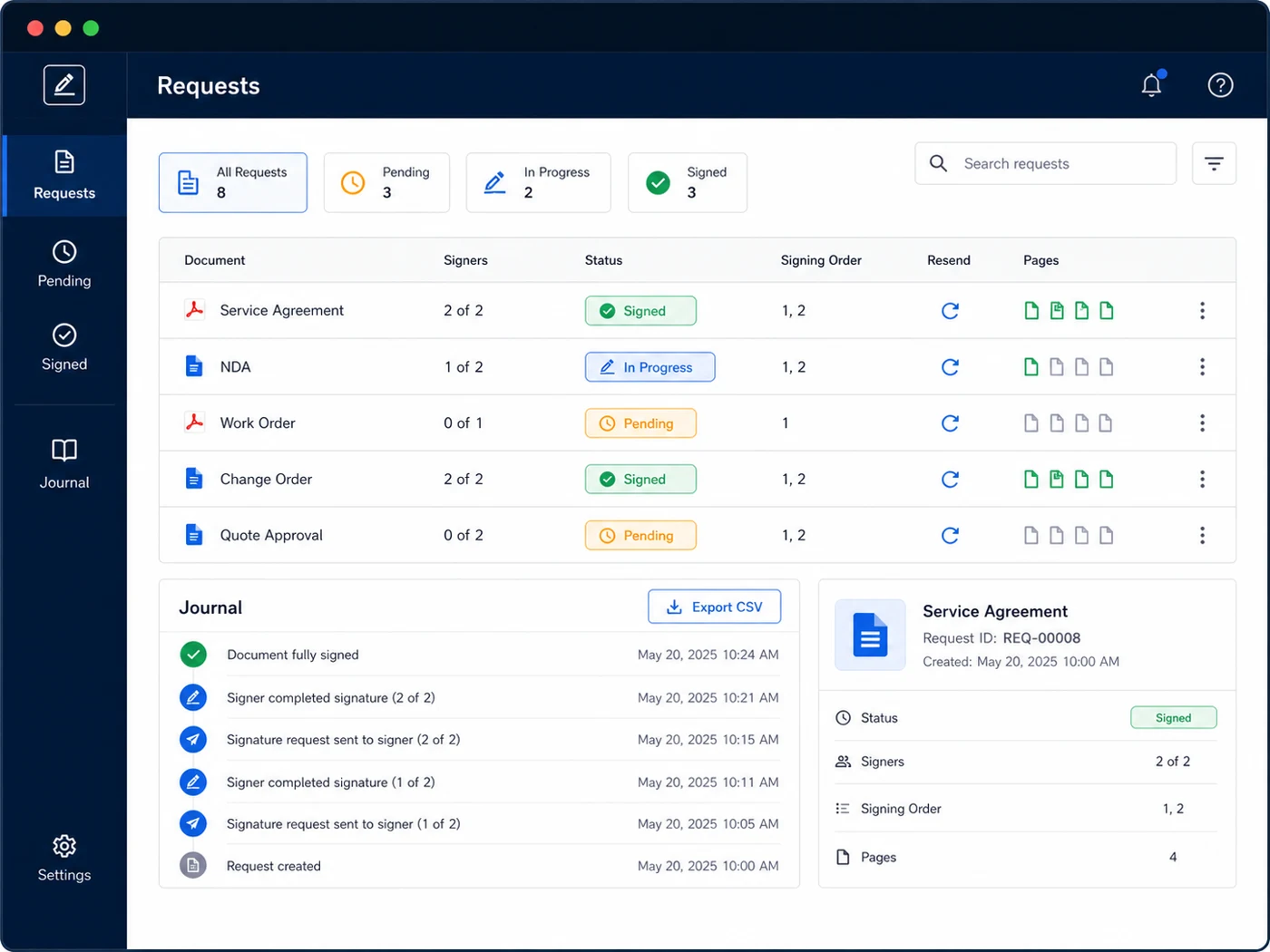
Under My Work → Signings & Audits in the sidebar. The Pending tab lists every request still in flight with a row per signer, filling in the date and time, IP address and device as each signature lands, plus a copy-link button if someone needs their link again. The boxes on your own copy of the document become markers too — Sent · waiting on a name, then ✓ Signed — so you can see where things stand without leaving the page. A request moves to the Completed tab the moment the last person signs, and the sealed PDF stays downloadable from there.
Where do I get the signed copy afterwards?
Everyone on the request — you included, plus anyone you CC'd — is emailed the completed PDF automatically when the last person signs. It's also kept for you on the Completed tab under My Work → Signings & Audits: click the document name to read it in the browser, Download signed copy to save it, Email Copy… to send the signed PDF to someone else, or open Audit Trail for the event timeline and separate downloads of the certificate and the document. Your copy always carries the Certificate of Signing; tick Only Host Receives Audit Certification Page before sending if signers and CC recipients should get the document without it. You can confirm the sealed copy hasn't been altered at /seal.
Do signers have to agree to sign electronically?
Yes, and it is recorded. Before anyone can place a signature they are shown the Electronic Disclosure and Signature Consent and must accept it; the acceptance is stored with its date, time and version and appears on the Certificate of Signing. They can decline it, and they can ask you for paper instead.
Can signers be reminded, and do links expire?
Yes. In the Confirm window before you send, Reminders defaults to Day 3 & Day 7: anyone who hasn't signed or declined gets a reminder email on those days, and never a third. Link expires can be set to 7, 14, 30, 60 or 90 days, or never, with 30 days as the default. When a request expires its links stop working and you're emailed how to send a fresh request.
Can someone get the signed copy without signing?
Yes. Add them as CC in the Confirm window. CC recipients never get a signing link; they receive the completed PDF when everyone has signed. You can add or edit the CC list from the request’s card on the Pending tab under My Work → Signings & Audits until it completes, and once it has, Email Copy on the Completed card sends the signed PDF to anyone else.
Can I reuse the same signature layout?
Yes. Save as Template keeps where every box sits, its type, and a name for each role such as Tenant or Landlord — never names or emails. Save one from the Signers panel, from the Confirm window, or from any request card under Signings & Audits, and add tags to group them. Your templates live under My Work → Templates, filterable by tag: Use Template applies one to your document, or choose Use a saved template under Who needs to sign?, fill in the people, and the boxes are placed for you.
Can I see what signers will see before I send?
Yes. Preview, next to Download once your document has signers and boxes, opens the actual signing page in a new tab: switch Preview as between signers, and between a Desktop and a Phone view. Preview Completed Document shows the file as it will look once everyone has signed, marked SAMPLE. Preview the invitation email shows the real email each signer will receive. Nothing you do in a preview is saved or sent, and Make Revisions takes you back to the Signers panel if something needs changing.
What does the Audit Trail show?
Open Audit Trail on any completed request for a timeline of every recorded event, each with its time, IP address and device, plus the seal fingerprint. From the same window you can download the Certificate of Signing on its own, download the signed document without it, or print the certificate. The combined sealed PDF remains the official record.
What if I need a witnessed or recorded signing?
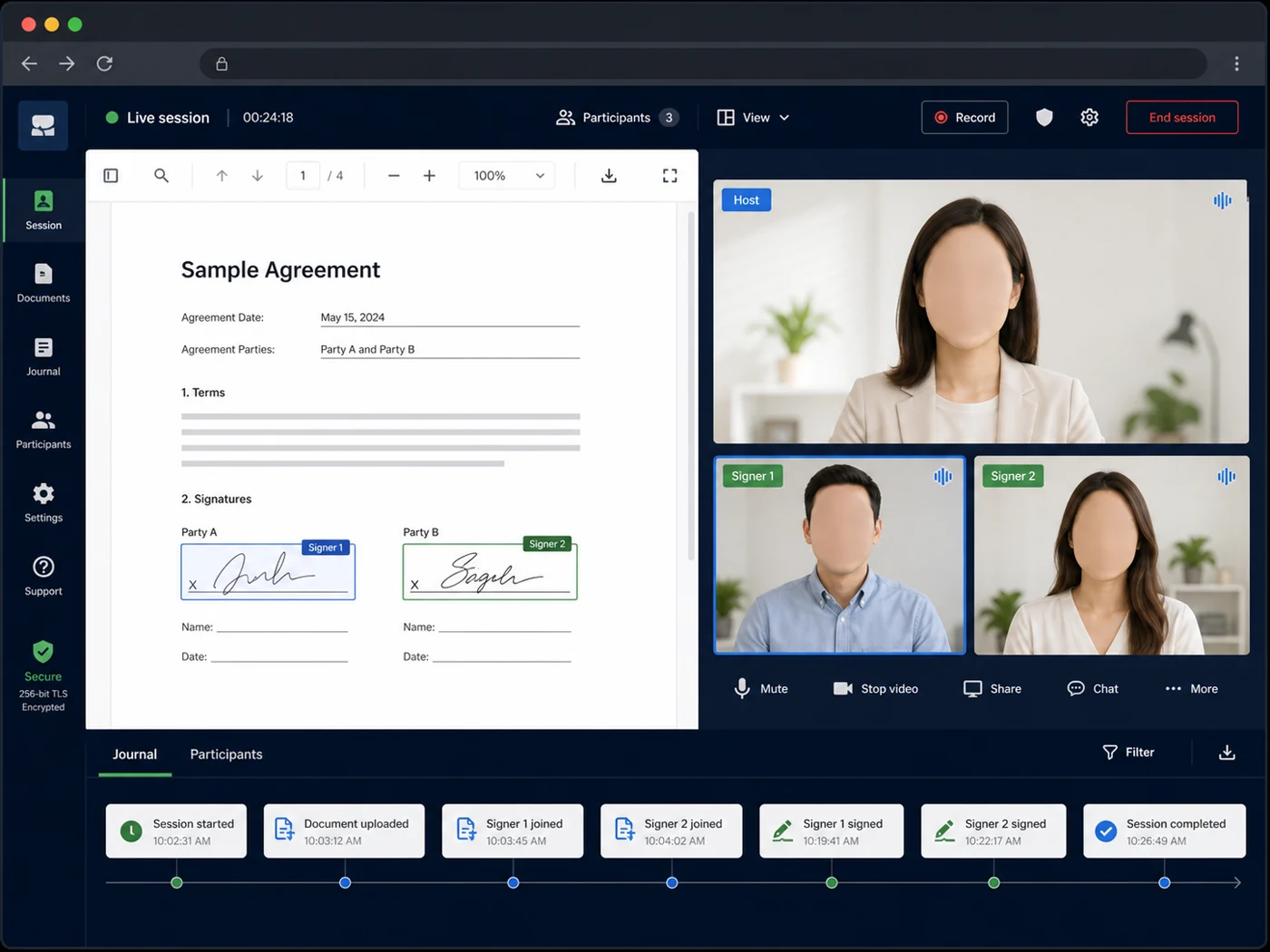
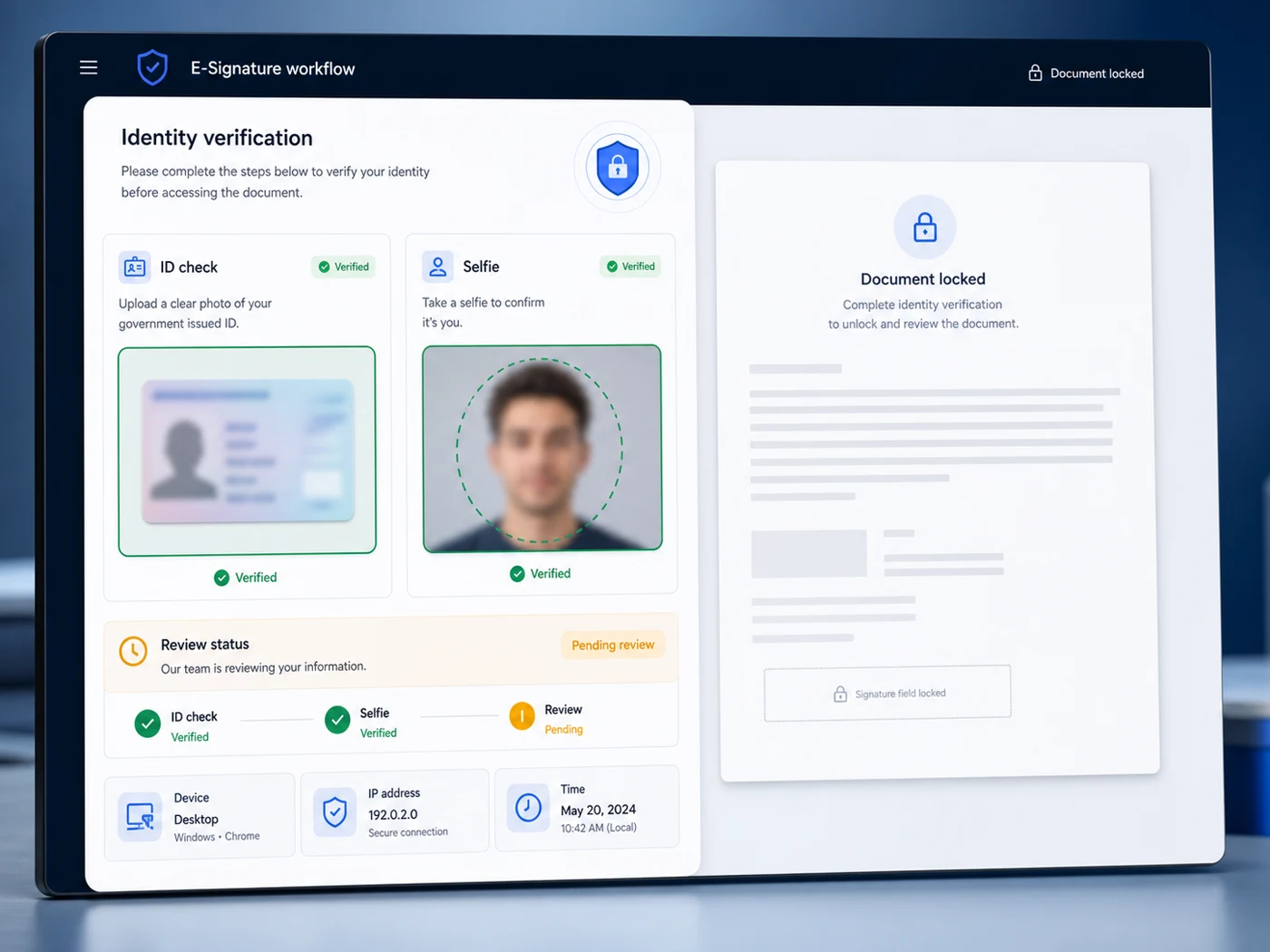
Send the same document through the Video Signing Room: live video, spoken consent, optional government-ID verification, a session recording, a full Audit Report, and a sealed PDF at the end.
What file types can I send?
Any PDF up to 50 MB. Word, Excel and PowerPoint convert to PDF first, and images can be assembled into a PDF in the editor before you place signature boxes.
Where do my documents live?
Ordinary editing happens entirely on your device — nothing is uploaded. Only a document you deliberately send for signature is stored on the server, because the signers have to be able to open it. You can delete a request, and your whole account, whenever you want.
Can I control who sees which pages?
Yes, in the Video Signing Room: set a strict signing order for the session and restrict each signer to the pages they need — handy when co-signers should not see each other's financial details. Emailed requests can be signed in any order, and every signer sees the whole document. See signing order & privacy.